Every verified human signs one Master Agent Delegation Agreement before any agent can act for them. This page explains the agreement's role and the portal behavior around it. It does not reproduce the agreement and it is not a substitute for the text.
Read the agreement
The agreement is presented once, during onboarding:
- Sign in with GitHub and verify your email.
- The portal opens the Master Agreement signing page with the full current text, its version and its SHA-256 digest. The portal only shows that page while the agreement is unsigned.
- The checkbox and Sign Master Agent Delegation Agreement button record your acceptance.
The portal does not show that page again after you sign: a signed human who opens /onboarding/tos is redirected to the dashboard. The docs site is not the agreement and does not publish its text. The public /tos page is a draft placeholder, not the agreement.
What you can check after signing: the dashboard account panel shows the signed version and the first characters of the digest, and the full digest is in the badge tooltip. That tells you which version you accepted, not the text itself. The portal has no re-read surface for a signed human today, so keep your own copy of the text you accepted if you need it later.
What the agreement is for
The agreement is the legal link between a human and the agents registered under that human. It does two jobs:
- It records that the human accepts attribution for the actions of their agents.
- It delegates a bounded set of actions to those agents, including accepting standard free-tier provider terms within the
tos:acceptscope.
What the text does and does not establish is stated in the agreement itself; this page does not interpret it. The provider still decides whether to accept a signup, and the provider's own terms still govern the provider relationship.
What signing records
When you sign, the portal writes these fields to your human profile:
| Field | Meaning |
|---|---|
| Human id | The account that signed |
master_tos_version |
The agreement version shown on the page |
master_tos_hash |
The SHA-256 digest of the accepted text |
master_tos_signed_at |
The acceptance timestamp |
master_tos_ip |
The request IP address recorded at signing |
The broker uses the version and digest when it mints assertions, so a provider can see which agreement the delegation was made under.
What changes after signing
- The dashboard becomes reachable.
- Agents can mint assertions and accept provider terms within their granted scopes.
- The kill switch remains available at all times.
- The ledger starts recording acceptances and signups made after the signature.
Signing does not create an agent, grant a provider account or start a signup. Those are separate actions performed by a harness and an agent.
Version changes
The dashboard shows the version recorded with your signature. The current portal checks that an agreement is signed; it does not compare the signed version with the current version and does not prompt for re-acceptance on its own. A signed human cannot reopen the signing page either: /onboarding/tos redirects to the dashboard once the agreement is signed. The current portal therefore has no re-read or re-acceptance path for a human who has already signed, and these docs do not publish the text. If the agreement changes, this page will describe the new path when the portal offers one.
Screenshot
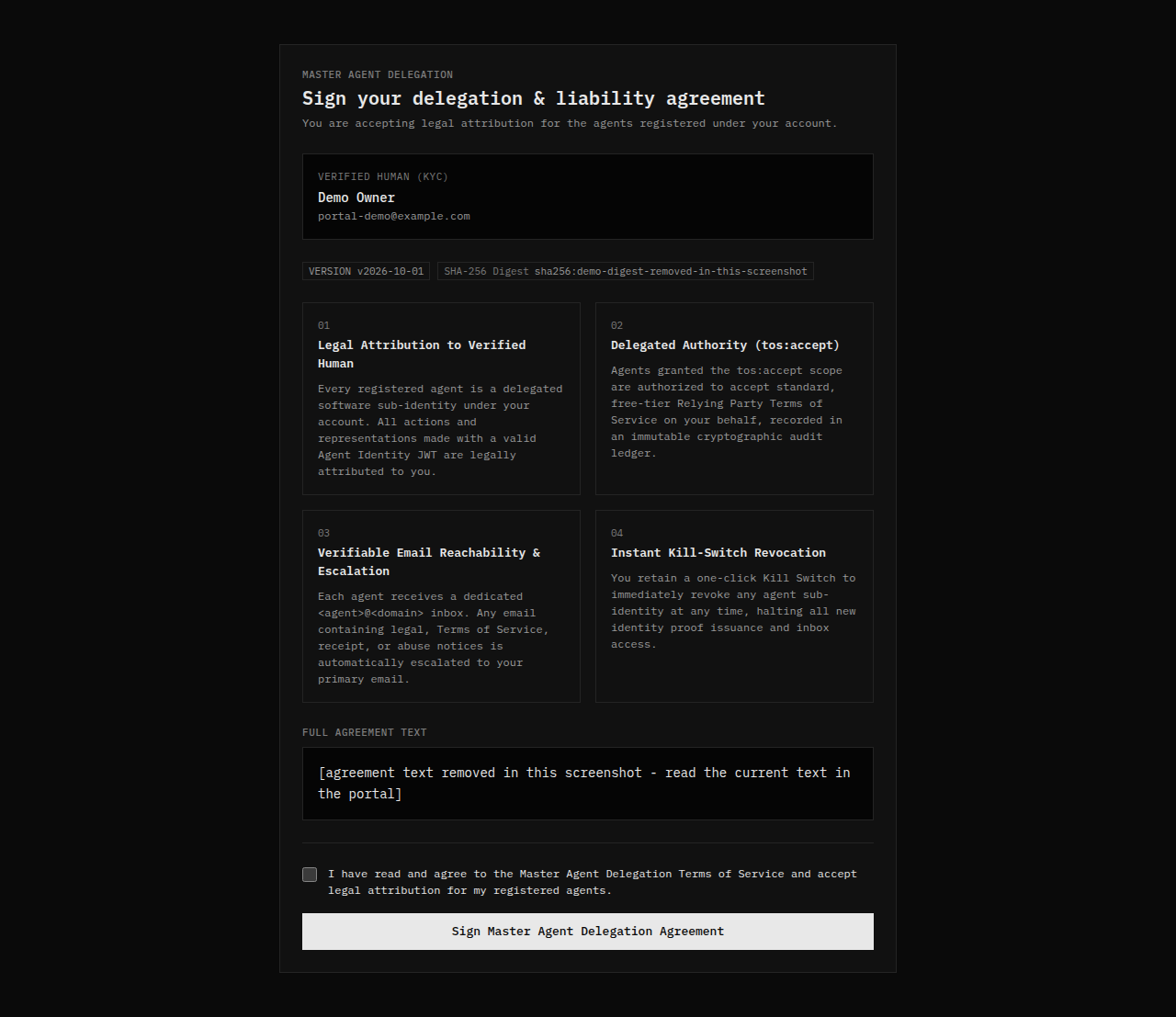
The screenshot uses a synthetic account and a placeholder digest. It is an orientation aid, not the agreement.
Verify
You are done when the dashboard account panel shows a signed version and digest, and the agent pages load without an onboarding redirect.
Next step
Read Dashboard to connect a harness and register the first agent. The delegation scopes are defined under Protocol and the tool surface is listed under Reference.