A relying party can report an agent through the broker's authenticated abuse endpoint. The report is an attributable case path, not a dispute process and not an immediate revocation. This page describes what the broker actually does with a report and what the human should do next.
How a provider reports abuse
The provider sends a v1.2 Contract D.2 request to
POST /api/broker/report-abuse:
{
  "rp_attestation": "<the provider's current broker-issued attestation>",
  "report": "<compact agent-rp-abuse+jwt JWS>"
}
The report JWS has a five-minute window, names the agent and a factual reason,
and is signed by a key in the attestation with abuse purpose. The legacy
unsigned body (agent_id, reporter_service, reason) is rejected with
401 unauthenticated_report.
A new accepted report returns 202 with a case_id, the report jti,
verification_status (verified or unverified), deduplicated,
agent_suspended, and human_notified. A duplicate returns 200 with the same
case id. human_notified is best effort; a false value does not undo a case or
a suspension.
Verified versus unverified standing
- Verified means the report is linked to a signup whose proof source is
rp_callbackorrp_signed, the signup-time verification is valid, and the attestation is current. Only a verified, receipt-linked report may apply a protective suspension pending operator review. - Unverified means there is no linked signup, or the link is
agent_self_reportedorlegacy_broker_signed. The broker opens a case but does not suspend. - A missing, expired, invalid, untrusted, or unavailable attestation is rejected before a case is opened. A transient broker/JWKS outage is retryable.
Reporting is not anonymous. The broker checks the RP broker's trust list, not the
human's distrust list, so a human cannot suppress abuse evidence.
What the broker does
- Verifies the attestation and the report signature, with broker trust checked before any JWKS fetch.
- Resolves the linked signup and records
verifiedorunverifiedstanding. - Opens an abuse case and a case timeline.
- For a verified, receipt-linked report, may set the agent to
suspendedpending operator review and notify the human owner. - Keeps the evidence and notifies the operator.
A suspension is not an adjudication. An operator reviews the case, can restore the agent, and records the decision. The human cannot clear a suspension with the ordinary kill switch.
What the human receives
When delivery succeeds, the verified human owner receives an alert with:
- the agent id and name;
- the provider and the reason;
- the evidence JTI, if one was supplied;
- whether the agent was suspended or the report is an unverified case;
- a reply path for contacting the broker if the report is wrong.
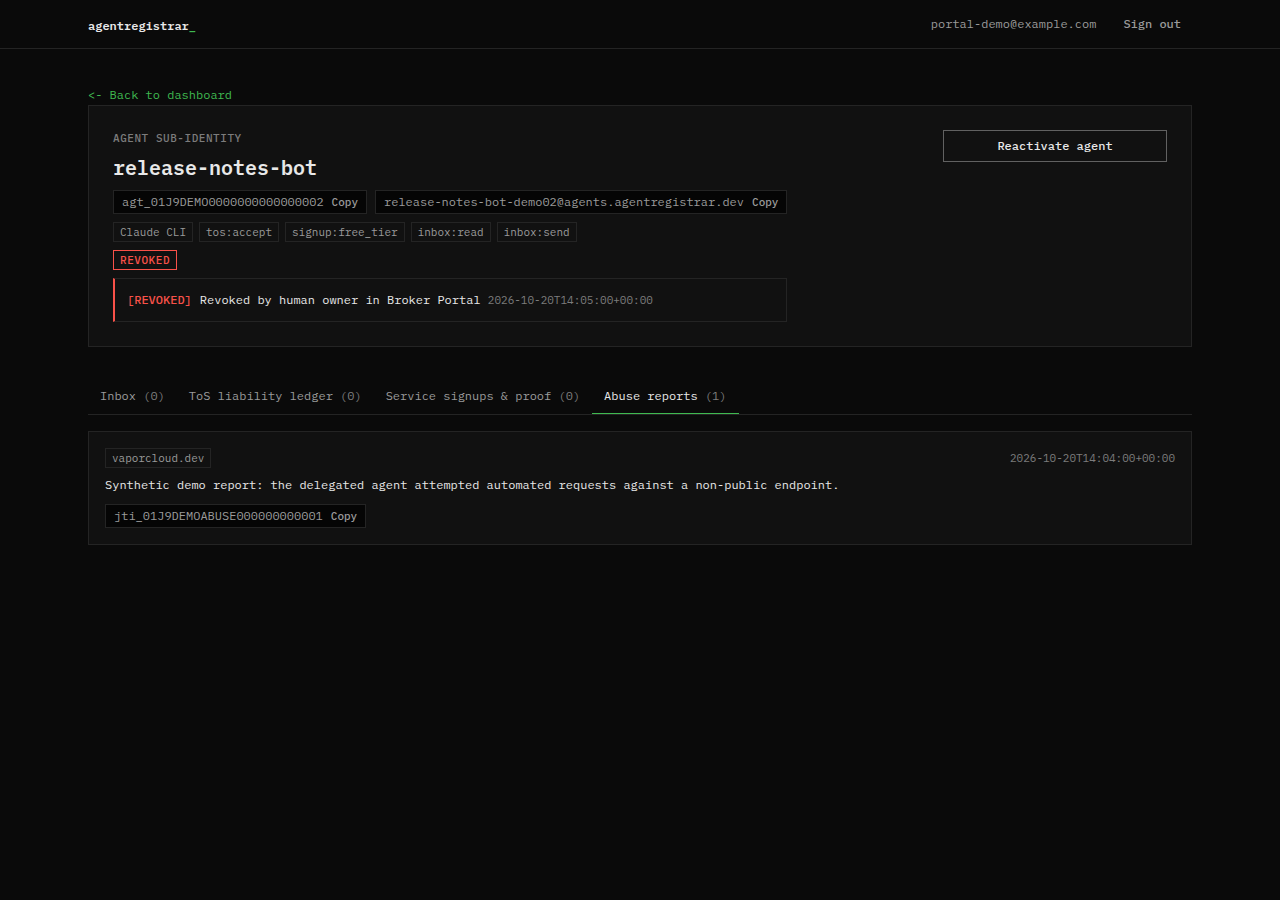
The report also appears in the Abuse reports tab on the agent detail page.
What the human can do
- Read the report and check the agent's ledger and inbox for the activity described.
- Contact the provider to resolve the account or resource.
- Rotate any provider credentials the agent held.
- Preserve the agent id, report timestamp, case id, evidence JTI and related ledger rows.
- Reply through the alert or contact the broker if the report is wrong. A suspension is restored by the operator, not by the human kill switch.
What the broker does not do
- It does not adjudicate the dispute or decide who is right.
- It does not delete provider data, close a provider account or issue a refund.
- It does not guarantee that the provider stops using data it already received.
- It does not suspend on an unverified or unlinked report.
- It does not guarantee delivery of the human alert.
- It does not expose a report-status call in v1.2.
Report a provider
A human who wants to report a bad provider uses the portal form, not the RP
endpoint. POST /api/broker/report-provider is session-authenticated, takes the
RP origin, audience, optional attestation jti, reason, optional evidence, and
optional distrust_broker/block_provider flags, and opens a provider case. It
can update that human's trust/policy; it does not change the provider's
attestation or adjudicate a dispute.
A provider listing or a verification badge is not an endorsement. If a provider misbehaves, report it and use your own account controls.
Contact path
The broker publishes one security address: security@agentregistrar.dev. It is linked in the footer of every page on this docs site, so you can confirm the address here rather than in a message. This page does not promise a response time.
Use that address for:
- a security or abuse report that cannot go through the authenticated endpoint;
- a suspected compromise of a human account;
- a provider report you want the broker to see directly.
Do not use it for provider signup requests, resource requests or support questions about a provider's product. The provider owns those.
Include in a report:
- the agent id (
agt_...) or the human account email, if known; - what happened, when, and the timestamps you have;
- the reporting provider, if one is affected;
- the relevant assertion or receipt JTI (
jti_...), case id, and ledger rows; - what you have already done, such as revoking the agent or rotating credentials.
Do not send provider API keys, passwords, session cookies or full message bodies. The broker cannot receive provider secrets and does not need them to act.
Next step
Read Kill switch and revocation for the human-side controls and the compromise playbook.