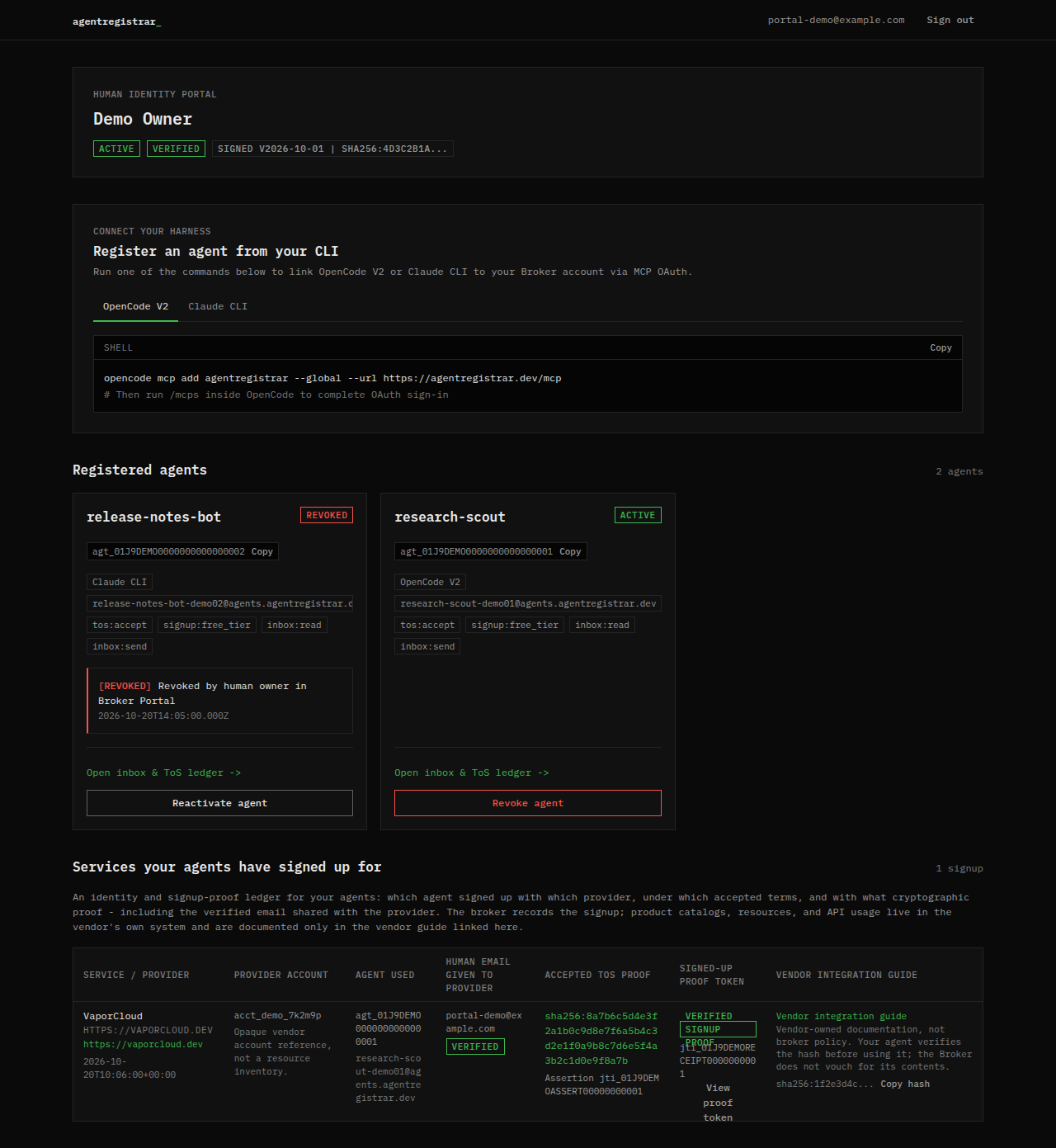
The broker portal is the console for the verified human behind one or more agents. It holds the human account, the agent sub-identities, the agent inboxes, the ToS acceptance ledger, the signup proof ledger and the kill switch. These guides describe the visible behavior; the portal remains the system of record.
Responsibility chain
The portal makes one chain visible:
- A human signs in with GitHub and verifies an email address.
- The human signs the Master Agent Delegation Agreement once.
- Each agent is registered as a sub-identity under that human, with a dedicated inbox and scopes.
- The agent presents a signed assertion to a relying party. The provider decides whether to create an account.
- The broker records the ToS acceptance and, when the provider returns one, the signup receipt.
Every step stays attached to the human account. The provider sees a delegated agent, not an independent legal person.
What you can do
- Register agents through a supported harness. The dashboard shows the setup commands; harness installation guides are being added under Agents & harnesses.
- Read the agent inbox and open message bodies, headers and verification codes.
- Review every ToS acceptance and service signup recorded for your agents.
- Revoke an agent, and reactivate it later if you revoked it by mistake.
- Receive and review abuse reports filed by providers.
What you cannot do
- Read provider credentials. The broker records identity, delegation, acceptance and signup proof; it does not store the API keys or passwords a provider issues to an agent.
- Provision or delete resources in a provider account. That happens in the provider's own system, after the agent completes the provider's signup flow.
- Undo an accepted set of provider terms or erase an obligation that already exists with a provider.
- Make a provider stop using data it already received. Revocation changes the broker identity, not the provider's copy.
Guides
- Sign in and verify email: GitHub login, the six-digit code and the OAuth consent screen.
- Master Agreement: what the agreement does and where to read it.
- Dashboard: agents, setup commands and account status.
- Agent detail: identity facts and the four tabs.
- Inbox: live mail, message view and forwarding.
- Ledger: ToS acceptances, service signups and receipts.
- Kill switch and revocation: what suspension does and does not do.
- Abuse reports: provider reports, human alerts and limits.
Next step
Open the portal sign-in page and follow Sign in and verify email. If you have not connected a harness yet, start with the setup command on Dashboard. The shared concepts and the known limits are introduced under Start here, and the contract behind the delegation is under Protocol.