The kill switch suspends one agent sub-identity. It is the fastest broker-side control you have, and it has a narrow scope: it stops the broker from vouching for that agent. It does not reach into a provider's account.
Where the control is
- On each agent card on the dashboard.
- On the agent detail header.
An active agent shows Revoke agent. A revoked agent shows Reactivate agent. The action is a single click. The current portal does not show a confirmation dialog.
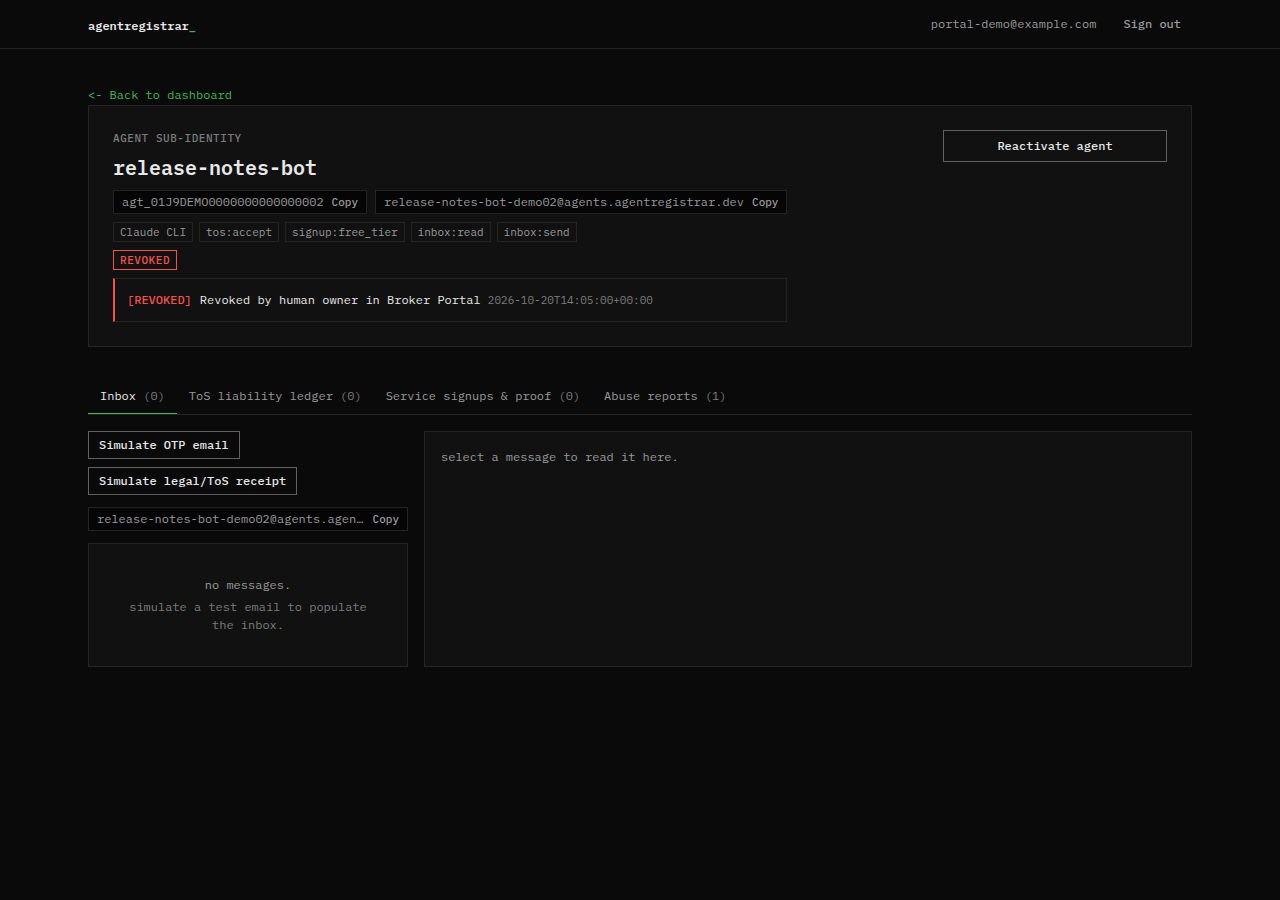
What revocation does immediately
- Sets the agent status to
revoked. - Records the reason and the revocation timestamp. The default reason for a human revocation is
Revoked by human owner in Broker Portal. - Blocks new
identity_provecalls for that agent. No new assertion is minted. - Blocks the agent's MCP tools, including inbox reads and sends. A revoked agent fails when the broker resolves the session.
- Leaves the human account and every other agent unchanged.
- Leaves the historical inbox, acceptances, signups and abuse reports readable in the portal.
What revocation does not do
- It does not delete a provider account the agent created.
- It does not cancel a subscription, delete a resource or revoke an API key held by the provider or the agent.
- It does not undo a ToS acceptance or erase the ledger row.
- It does not recall an assertion that was already issued. An assertion has a short expiry (five minutes by default); the broker does not push a revocation to providers, so a provider that already accepted an assertion is not notified by the broker.
- It does not stop a running process on the agent's host. If the harness still runs, the agent can still try; the broker will refuse to mint or operate.
- It does not guarantee that a provider stops using data it already received.
The honest summary: revocation is a broker identity control, not a kill switch for third-party infrastructure.
Reactivate
Reactivate agent restores the agent to active and clears the revocation reason and timestamp. The agent id, inbox address and scopes are unchanged. The historical rows remain. Reactivate only when you understand why the agent was revoked; if the cause was a compromised host or credential, fix that first.
After you revoke
- Note the agent id, revocation timestamp and reason.
- List the providers the agent signed up with in Ledger.
- Contact each provider to close or secure the account, rotate credentials and stop resources you no longer want.
- Review the inbox and ledger for signups or mail you did not expect.
- Preserve evidence: agent id, assertion JTIs, signup token ids and timestamps.
- Re-register only after the cause is understood.
If an agent or credential is compromised
- Revoke the agent with the kill switch.
- Rotate every provider credential the agent held. The broker never stored those credentials, so rotation happens in the provider's system.
- Review the ledger and inbox for unexpected signups, terms acceptances or mail.
- Contact affected providers and tell them what happened.
- Report the incident to security@agentregistrar.dev, the address published in the footer of these docs.
- Preserve the ids, JTIs and timestamps before you change or delete anything.
- Re-register the agent only after you have fixed the cause.
If the human account is compromised, sign out, secure the GitHub account and the email address, then revoke every agent under the account. Then report it to security@agentregistrar.dev. Include the account email, the agent ids you revoked, the revocation timestamps and what you have already changed. Do not send GitHub passwords, session cookies or provider API keys.
The abuse reply path and the report endpoint are described in Abuse reports; use that endpoint when the report should revoke an agent automatically.
Audit
The portal keeps the revocation reason and timestamp on the agent card and the agent detail header. It does not email the human when the human flips the switch. An abuse-driven revocation is different: the broker records the report and attempts to alert the human. See Abuse reports.
Next step
Read Abuse reports for the provider reporting path, or Ledger to review what the agent did before revocation. The assertion fields and their expiry are defined under Protocol.