The agent detail view has two ledger tabs. The ToS liability ledger records what the agent accepted. The Service signups & proof tab records what a provider returned after a signup. Both are read-only in the portal.
ToS liability ledger
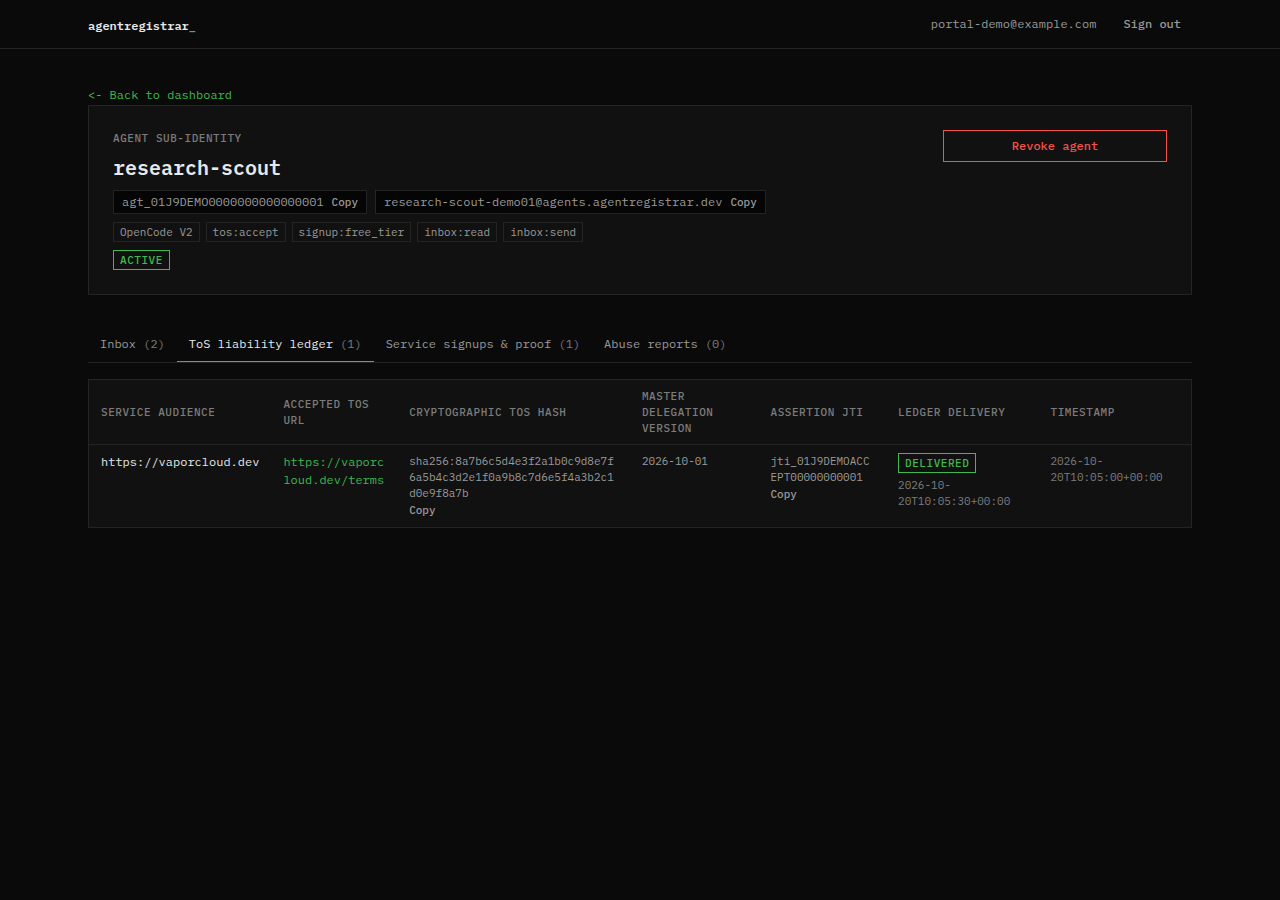
Each row shows:
| Column | Meaning |
|---|---|
| Service audience | The provider origin the acceptance was scoped to |
| Accepted ToS URL | The terms URL presented by the provider |
| Cryptographic ToS hash | The SHA-256 digest of the accepted text |
| Master delegation version | The Master Agreement version in force at acceptance |
| Assertion JTI | The identifier of the assertion minted for that acceptance |
| Ledger delivery | Whether the ledger email was dispatched and forwarded to the human |
| Timestamp | When the acceptance was recorded |
The row is written when identity_prove accepts the provider terms. The portal exposes no edit or delete control. The acceptance is a durable record, not a draft.
Service signups and proof
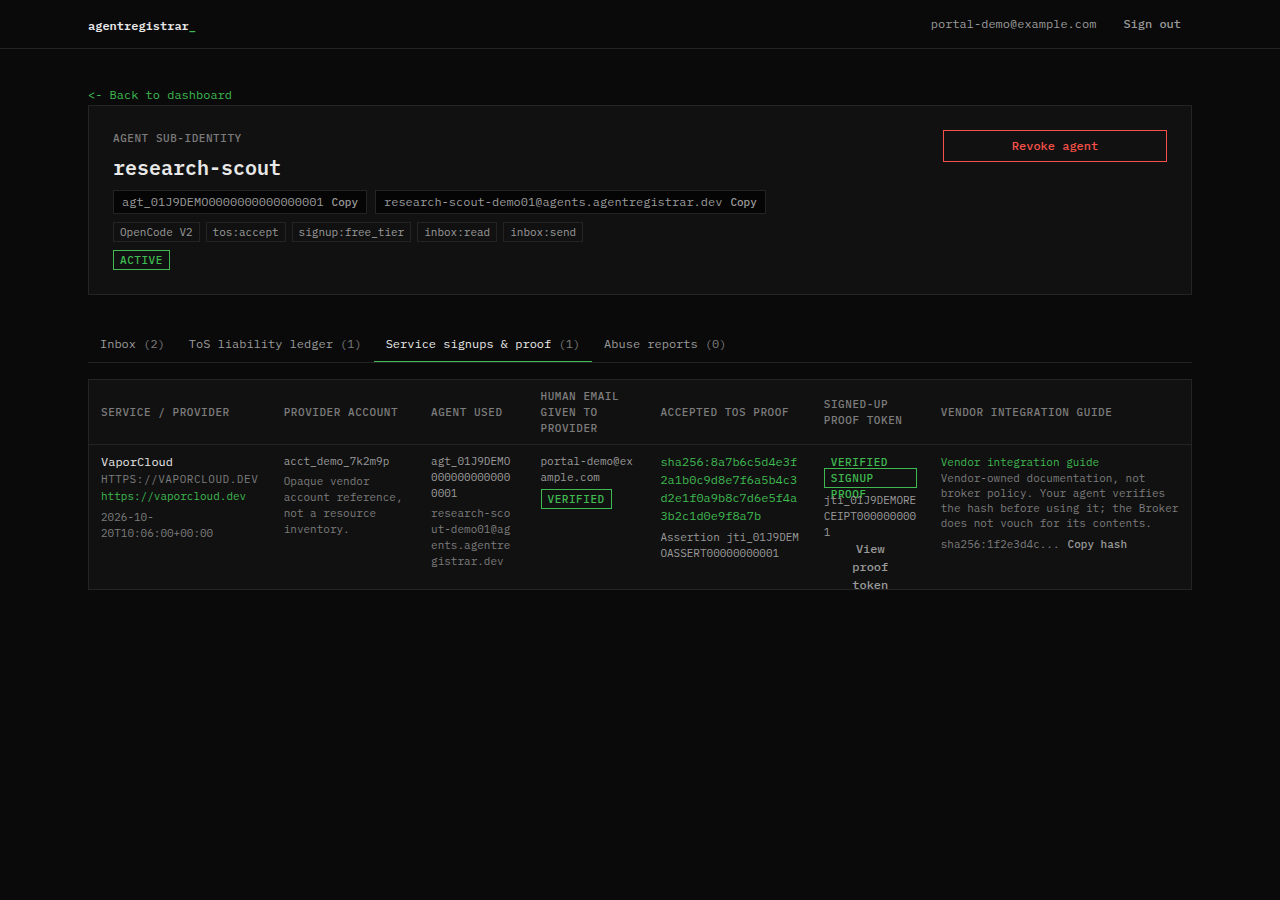
Each row shows:
- The provider name, audience and URL.
- The provider account reference. This is an opaque identifier, not a resource inventory.
- The agent id and the agent inbox address used at signup.
- The human email shared with the provider, with a VERIFIED badge.
- The accepted ToS hash and the assertion JTI.
- The provider's signup token id and a View proof token control.
- The vendor integration guide pointer and its hash, when the provider returned one.
View proof token expands the stored JWT and a decoded claim view. The broker verified the token signature when it ingested the receipt. The browser view does not re-verify it. Treat the token as proof for review, not as a credential to reuse.
Accepted, signed up, provisioned
These are three different states:
- Accepted: the agent accepted the provider's terms and the broker recorded the hash.
- Signed up: the provider verified the assertion, created an account and returned a receipt the broker stored.
- Provisioned: the provider created a resource or granted API access in its own system.
The broker records the first two. It does not record or guarantee the third. A row in the signup ledger means the provider confirmed a signup; it does not mean a particular resource exists or is healthy. Provisioning is described in the vendor guide, which is vendor-owned documentation.
Empty states
- No ToS acceptances yet: the agent has not accepted any provider terms.
- No signed-up services yet: no provider has returned a confirmed signup for this agent.
A signup normally appears after a successful assertion exchange. If the provider created an account but the ledger is empty, the provider did not return a receipt that the broker accepted.
Next step
Read Kill switch and revocation to understand what happens to these records when an agent is revoked. The assertion claims and receipt fields are defined under Protocol; the MCP tools that write them are listed under Reference.