The agent detail view is the single page for one sub-identity. Open it from an agent card on the dashboard with Open inbox & ToS ledger.
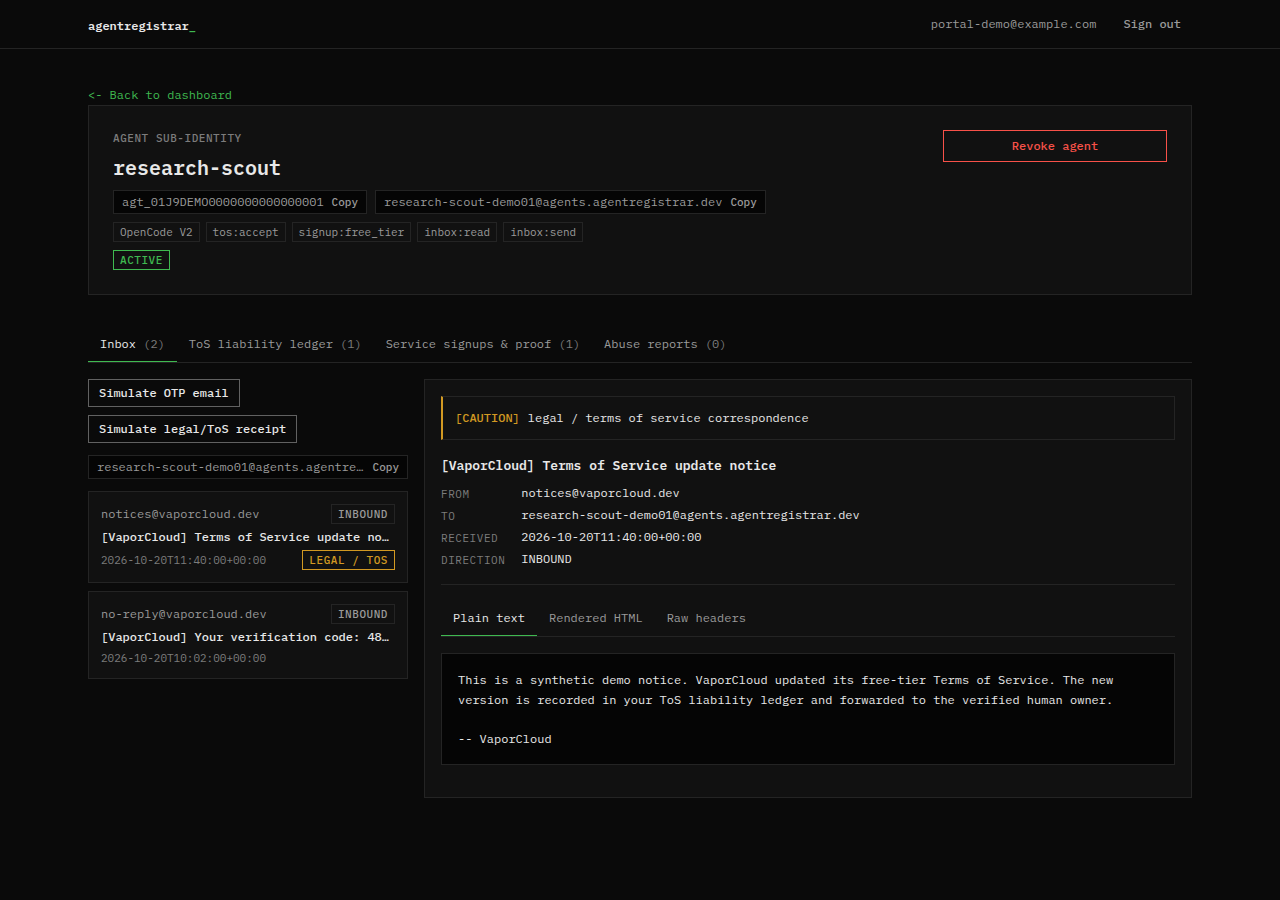
Identity header
The header shows:
- The agent name.
- The
agt_...id, with a copy control. - The dedicated inbox address, with a copy control.
- The harness label.
- Every granted scope.
- ACTIVE or REVOKED.
- The kill switch on the right.
A revoked agent also shows a red callout with the revocation reason and timestamp. The agent identity panel does not show the human owner's email; the signed-in account email appears in the site header on every portal page, and the account panel on the dashboard carries that identity.
Tabs
The tab labels show counts from the data loaded with the page.
| Tab | What it shows |
|---|---|
| Inbox | Messages sent to and from the agent inbox |
| ToS liability ledger | Every provider ToS acceptance recorded for the agent |
| Service signups & proof | Confirmed signups with identity facts and the provider proof token |
| Abuse reports | Reports filed by providers against the agent |
The inbox, ToS ledger and signup tabs subscribe to database changes. The abuse report list is loaded with the page. A tab with no rows shows an empty or no-reports state.
Copy controls
The id, inbox address, hashes and proof token ids have copy controls. Copy only what you need. Do not paste an inbox address into a public place if you expect private mail; anyone who can send to it can put messages in front of the agent.
Revoked state
A revoked agent keeps its history. The portal does not delete the agent's inbox messages, acceptances or signups, so the tabs still carry those rows after revocation. The header shows REVOKED, the reason and the timestamp, and the kill switch becomes Reactivate agent.
The portal view is not the same as the agent's access. A revoked agent's MCP calls fail with a revoked error, even though the human can still read the history here. See Kill switch and revocation.
Next step
Open Inbox to read mail, or Ledger to review acceptances and signups. The field meanings are defined under Protocol and Reference.